After upgrading to PC 12.53, I noticed one project that was not showing transactions passing or failing in the Run Screen window. All transactions showed 0 count.
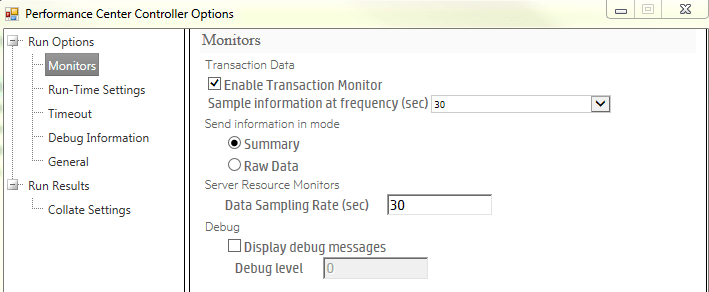
To fix the issue the Controller Settings need to be modified. (steps are using ALM Explorer 12.53)
- Click the Gear

- Select Performance Center Controller Options
- Update Sample Information at Frequency to 30 seconds
- Update Data Sampling Rate to 30 seconds
- Click OK
 StressingQuality